# Mocking SvelteKit Stores in Storybook
## Published 2024-03-27
If you’re using SvelteKit with Storybook and the [Svelte Story Format addon](https://github.com/storybookjs/addon-svelte-csf) and need a way to mock built in `$app/stores` in stories, this post is for you. This was written using the following versions:
- Svelte 4
- SvelteKit 2
- Storybook 7
- addon-svelte-csf 4
If you’re using newer versions, there’s a chance the examples here won’t work the same or at all.
## The Component
Say we have a small component that gets data from the `page` store.
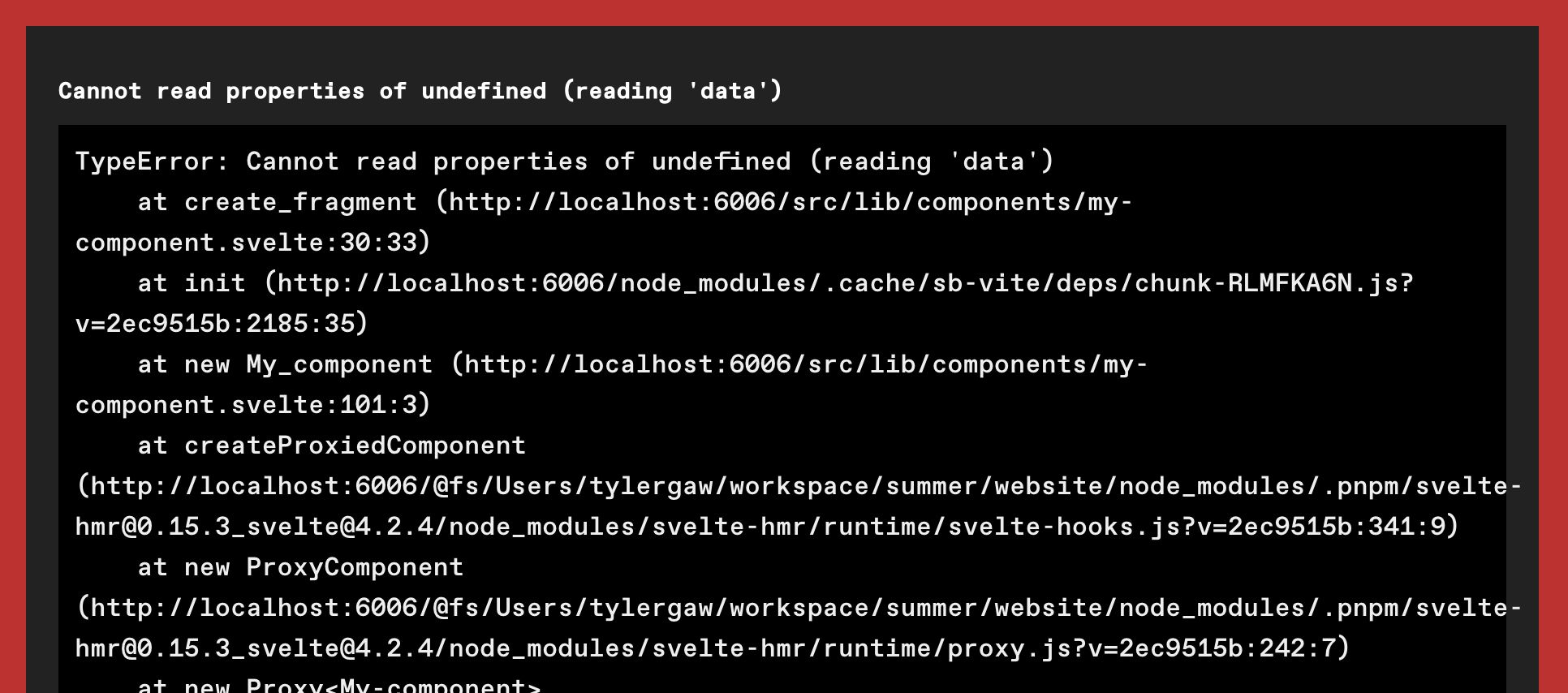
If we start up Storybook and try to view `MyComponent`, we’ll get a big error.
fig 1: The error we see on first run
There’s a lot of error stuff there, but the key part is right at the top.
Cannot read properties of undefined (reading 'data')
That makes sense, because in `MyComponent` we’re trying to access members of `$page.data` in two places. In this context, `$page` is `undefined`, so that means `data` is also `undefined`.
We could update `MyComponent` to guard against throwing an error by making sure these objects exist before trying to use them, but then we wouldn’t have an `href` or `text` value visible in `MyComponent` stories.
What we need is for the stories to have access to a `$page` object in the same way it does in regular usage.
## Use Context
This took me a while to track down and I never found full example of it, but I was able to piece together that we can use [Svelte context](https://svelte.dev/docs/svelte#setcontext) to mock `page` (and other) stores. The most helpful clue was a partial example from this [3+ year old Reddit thread](https://www.reddit.com/r/sveltejs/comments/pakmb1/has_anyone_managed_to_mock_page_from_appstores/).
We’ll use the `setContext` function to manually define `$page.data`. First we need to know what name Svelte uses for page context. In `MyComponent.stories.svelte` use `getAllContexts` to see what’s available:
// MyComponent.stories.svelte
//...
<script>
  import { Story, Template } from '@storybook/addon-svelte-csf'
  // Note: we can only use Svelte context functions in scripts without context="module"
  import { getAllContexts } from 'svelte'
  console.log(getAllContexts())
</script>
//...
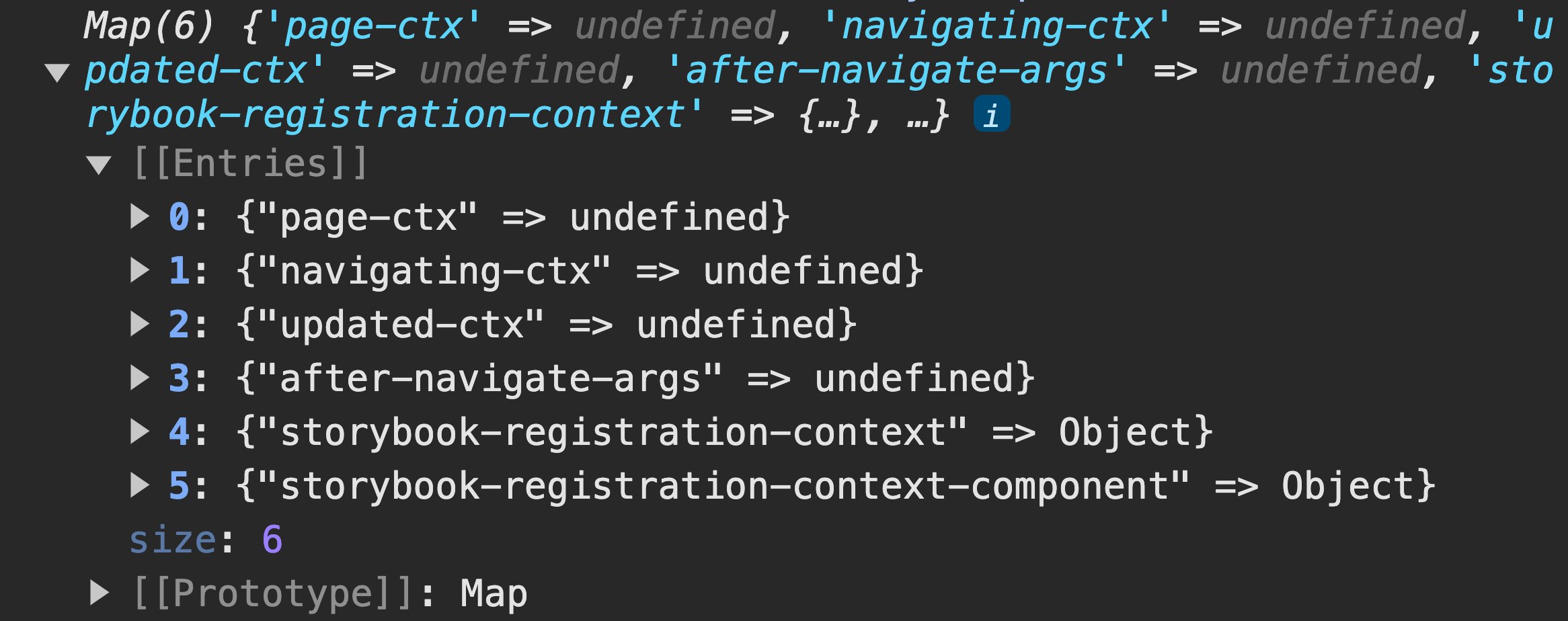
This gives us a `Map` of all the contexts we have access to in `MyComponent`.
fig 2: The Map showing all available contexts
The keys are what we’re interested in, and with the exception of the storybook keys, they should look familiar. Each one matches an available [`$app/stores` module](https://kit.svelte.dev/docs/modules#$app-stores). We need to mock the page store, so we’ll use "page-ctx" as our context. We do that in `MyComponent.stories`:
// MyComponent.stories.svelte
//...
<script>
  import { Story, Template } from '@storybook/addon-svelte-csf'
  // Note: we can only use Svelte context functions in scripts without context="module"
  import { setContext } from 'svelte'

  setContext('page-ctx', {
    data: {
      href: '/some/href/we/want',
      text: 'My Link Text'
    }
  })
</script>
//...
The second parameter of `setContext` takes any value and assigns it to `$page`. In our case, `MyComponent` expects a `data` object with `href` and `text` members. Here, we manually create the object so accessing `$page.data.*` works as expected in `MyComponent` stories. If we reload the `MyComponent` story we see the expected link.
## What else?
This example is specific to issues I’d been running into for weeks [at work](https://www.summer.io/), but I’m sure this approach of using context for mocking has more uses.