# Styling External Links Using :has and an Attribute Selector

## Published 2025-11-05

No doubt this has been written about before, but I used this approach yesterday and it’s cool so I’m writing about it too.

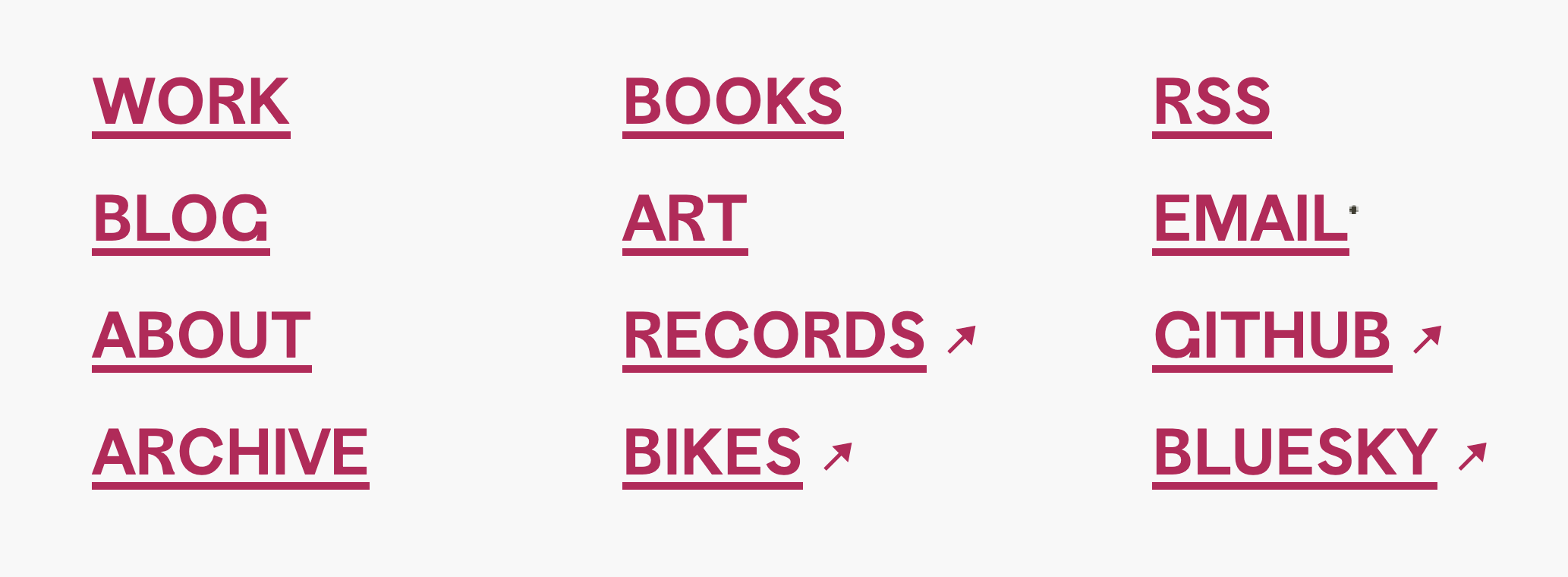
Like any good website, I have a pile of links in the footer of this one. Most of the links are to internal pages. A handful of them are to external sites. It’s never bothered me before that the external links aren’t marked as such. But, in a usual fit of procrastination while writing my [previous post](https://tylergaw.com/blog/fairweather-ride-2025/), I decided those external links now **had** to be marked in some way.

Each link is an <code>a</code> wrapped in an <code>li</code> element. I’m lazy, so I decided to avoid using any image and instead use the ↗ character. I wasn’t procrastinating so hard that I wanted to create, export, and upload an image.

I didn’t want the ↗ to be in the <code>a</code> itself, but after it in the containing <code>li</code>. I could have used a class on each <code>li</code> to do this, but instead I used the <code>:has</code> selector plus a starts with (<code>^</code>) attribute selector to include the ↗ character in an <code>::after</code> element.

<pre><code class="language-css">.footer__links li:has([href^="https"])::after {
  content: "↗";
}</code></pre>

This says; “Style any li element that contains any element with an href value that starts with ‘https’.”. So <code>&lt;a href='/about'&gt;</code> doesn’t get styled, but <code>&lt;a href='https://example.org'&gt;</code> does.

<figure>
  <picture>
    <img
      src="https://stuff.tylergaw.com/post-has-attribute-external-links/footer-links.png"
      alt="An enlarged screenshot of the footer links on tylergaw.com"
    />
  </picture>
  <figcaption>fig 1. The external footer links now marked as such with the ↗ character.</figcaption>
</figure>

I haven’t had many times where I’ve reached for <code>:has</code> or the starts with attribute selector, but they sure are helpful. Here’s a [CodePen](https://codepen.io/tylergaw/pen/pvgmRxr?editors=1100) with an isolated example of this.

<p class="offset-no-indent">
  This is yet another reminder that:
</p>

<figure>
  <picture>
    <img
      src="https://stuff.tylergaw.com/post-has-attribute-external-links/css-is-good.jpg"
      alt="CSS IS GOOD"
    />
  </picture>
  <figcaption>fig 2. Learn it. Know it. Live it.</figcaption>
</figure>